

For many organisations, Windows file servers form the backbone of everyday operations. They store shared documents, project files, departmental data, customer records, and countless other business assets that employees rely on every day. When everything is working well, file servers fade into the background. Users simply save, open, and share files without giving much thought to the infrastructure behind them.
Over time, however, file servers often become victims of their own success.
As businesses grow, they create more digital information than ever before. Completed projects remain on shared drives, departments accumulate years of historical documents, and storage continues expanding without a clear strategy for managing inactive data. Eventually, the file server begins to struggle—not necessarily because of outdated hardware, but because it is being asked to do far more than it was originally designed for.
A storage bottleneck rarely appears overnight. Instead, it develops gradually through small warning signs that are easy to overlook until they begin affecting users, IT teams, and business operations.
Recognising these signs early allows organisations to take a more strategic approach to storage management before performance suffers or expensive infrastructure upgrades become unavoidable.
What Is a Storage Bottleneck?
A storage bottleneck occurs when a file server can no longer efficiently handle the volume of data stored on it or the demands being placed upon it.
This doesn’t always mean the server has completely run out of space. In many cases, the problem is that the storage environment has become increasingly inefficient. Years of inactive files, duplicate data, and poorly managed growth create additional strain on backups, searches, maintenance tasks, and everyday user activity.
The result is an environment that becomes progressively harder and more expensive to manage.
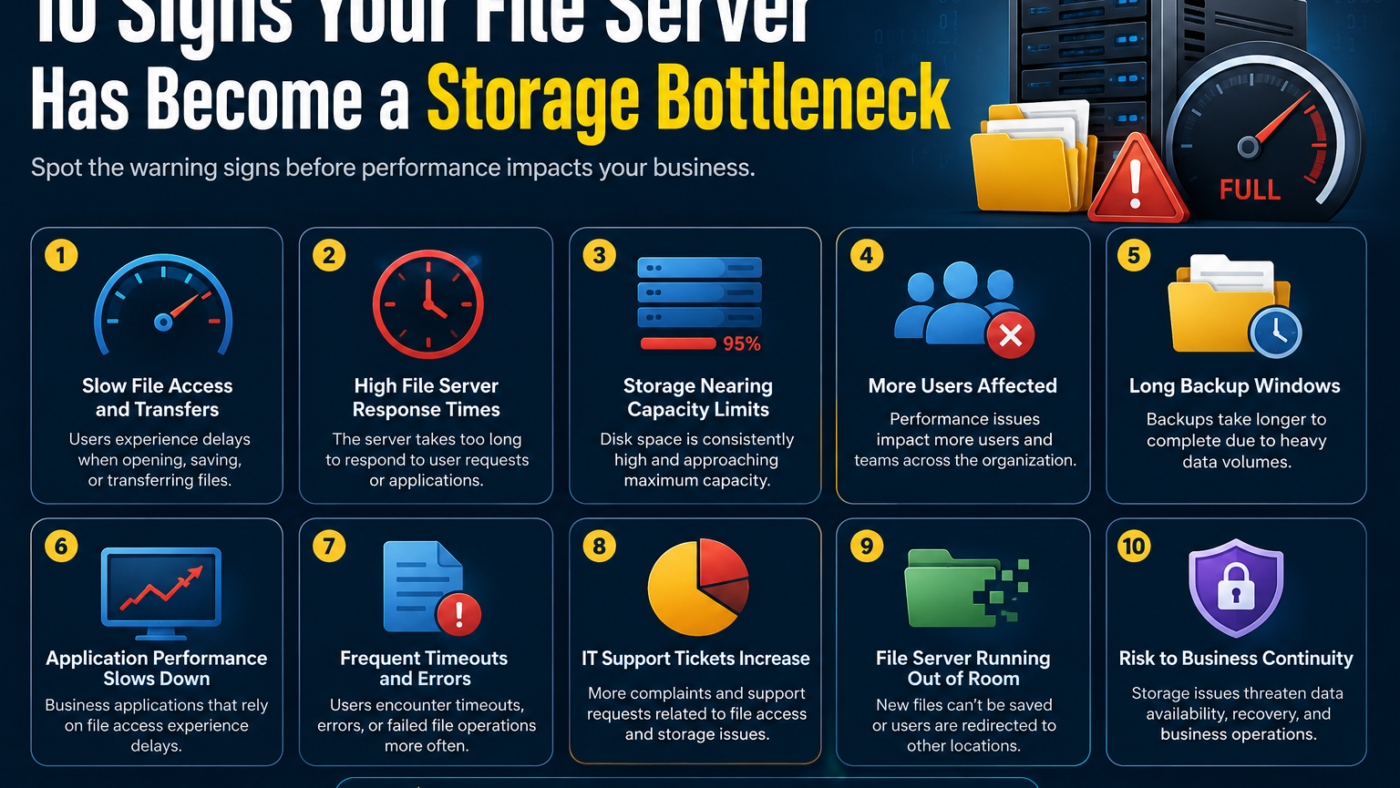
Here are ten common warning signs that your file server may be reaching that point.
1. You’re Running Out of Storage Every Year
One of the clearest indicators is a predictable cycle of storage expansion.
If your IT team finds itself purchasing additional storage every year—or even every few months—it may indicate that storage growth is being managed reactively rather than strategically.
While business data naturally increases over time, constantly adding capacity without reviewing what’s already stored simply postpones the problem.
Instead of asking, “How can we buy more storage?” organisations should also ask:
- How much of our existing data is still actively used?
- How much hasn’t been accessed in years?
- Are we storing information in the most appropriate place?
Understanding the answers can often delay costly hardware investments.
2. Backup Windows Keep Getting Longer
Backups are essential for business continuity, but they become increasingly challenging as storage volumes grow.
Large file servers require more time to back up, more bandwidth to transfer data, and larger backup repositories to store multiple recovery points.
If backup jobs are regularly exceeding maintenance windows or overlapping with business hours, inactive data may be contributing significantly to the problem.
Longer backup times also increase operational risk by reducing the time available to verify backup integrity or complete recovery testing.
3. Users Complain That Shared Drives Feel Slow
Performance issues are often one of the first symptoms users notice.
Employees may report that opening folders takes longer than expected, searches return results slowly, or saving files appears less responsive than before.
Although these problems can have multiple causes, large and poorly managed file systems frequently contribute to slower everyday operations.
When shared drives contain years of accumulated information, even routine tasks can become less efficient for both users and administrators.
4. Most Files Haven’t Been Opened in Years
Many organisations are surprised when they analyse their storage usage.
It’s common to discover that a large percentage of files have not been accessed for several years despite occupying a substantial amount of primary storage.
Historical project folders, previous versions of documents, completed contracts, and legacy departmental data all continue consuming valuable resources.
These files may still have business value, but that doesn’t necessarily mean they belong on production storage designed for active workloads.
Understanding file access patterns is one of the most effective ways to identify opportunities for improving storage efficiency.
5. Storage Costs Keep Increasing
Adding more storage isn’t simply a matter of buying additional disks.
Growing storage environments often lead to higher costs across multiple areas, including:
- Hardware upgrades
- Maintenance contracts
- Backup infrastructure
- Power and cooling
- Administrative effort
- Future replacement cycles
These costs accumulate over time, particularly when inactive data remains on premium storage indefinitely.
Businesses that regularly expand storage without reviewing their data management strategy often find themselves caught in a cycle of continually increasing infrastructure costs.
6. Finding Files Has Become More Difficult
As shared storage grows, organisation often declines.
Users begin encountering multiple copies of documents, outdated versions mixed with current files, and increasingly complex folder structures that have evolved over many years.
Searching for information becomes more time-consuming, and employees may spend unnecessary time determining which version of a document is actually current.
While this may seem like a productivity issue rather than a storage issue, unmanaged data growth frequently contributes to both.
A storage environment should help employees find information—not hide it among years of accumulated files.
Read more: PS5 30th Anniversary
7. Your IT Team Spends More Time Managing Storage Than Improving It
As file servers become larger, administrative effort naturally increases.
Instead of focusing on strategic improvements, IT teams may find themselves spending more time responding to storage alerts, expanding volumes, monitoring capacity, and troubleshooting space-related issues.
When storage management becomes primarily reactive, it often leaves less time for projects that add value elsewhere in the business.
Reducing unnecessary storage growth allows IT teams to spend less time maintaining infrastructure and more time improving it.
8. Compliance Is Becoming Harder to Manage
As organisations accumulate more information, maintaining visibility over that data becomes increasingly difficult.
Older files may contain sensitive customer information, employee records, financial documents, or confidential business material.
Without effective lifecycle management, IT teams may struggle to answer important questions such as:
- Which files contain sensitive information?
- How long should this data be retained?
- Who still has access?
- Can outdated information be safely removed?
The larger the storage environment becomes, the more difficult these governance activities often become.
Effective storage management supports compliance by ensuring information is retained appropriately while reducing unnecessary accumulation.
9. You’re Treating All Data the Same
One of the most common characteristics of a storage bottleneck is the assumption that every file deserves the same level of storage performance.
In reality, data changes in value over time.
A project being worked on every day requires fast, readily available storage. A project completed six years ago may only need to be accessed occasionally for reference or audit purposes.
Keeping both types of information on the same premium storage tier is rarely the most efficient use of resources.
Many organisations are now adopting lifecycle-based storage strategies that move inactive information to more appropriate storage while preserving accessibility when needed.
10. Buying More Storage Has Become the Default Solution
Perhaps the strongest indication of a storage bottleneck is when expanding capacity becomes the automatic response to every storage challenge.
Adding more disks certainly increases available space, but it does not reduce duplicate files, improve organisation, shorten backup windows, or make historical information easier to manage.
Without addressing how data is stored, organisations often find themselves repeating the same cycle:
- Storage fills up.
- More capacity is purchased.
- Data continues growing.
- Storage fills up again.
Breaking this cycle requires a shift from simply expanding infrastructure to managing information more intelligently.
How Modern Archiving Helps Remove Storage Bottlenecks
Many organisations are addressing storage bottlenecks by adopting a more structured approach to data lifecycle management.
Rather than allowing inactive files to remain indefinitely on production storage, they identify information that is rarely accessed and move it to lower-cost storage while maintaining appropriate access for users.
This approach helps reduce pressure on primary storage without requiring employees to change how they work.
Solutions such as ArchiverFS reflect this broader trend by helping organisations automate the management of inactive files while preserving familiar access methods. Similarly, companies including MLtek have contributed to the growing emphasis on intelligent storage management, where the focus is on using existing infrastructure more efficiently rather than continually expanding it.
The objective is not simply to free storage space. It is to ensure that primary storage remains focused on the data that genuinely benefits from high-performance access.
What Should You Do If You Recognise These Signs?
If several of these warning signs sound familiar, it may be time to review your storage strategy before the situation becomes more costly.
A good starting point includes:
- Analysing file age and access patterns.
- Identifying duplicate or redundant information.
- Reviewing retention policies across departments.
- Separating active and inactive data.
- Automating lifecycle management where practical.
These steps can often deliver significant improvements without requiring immediate infrastructure expansion.
Conclusion: A Storage Bottleneck Is Often a Data Management Problem
File servers rarely become bottlenecks because organisations simply have “too much data.” More often, they become bottlenecks because all data is treated the same, regardless of its age, value, or frequency of use.
As inactive files accumulate on primary storage, businesses face longer backups, rising infrastructure costs, increasing administrative effort, and reduced productivity. These problems develop gradually, making them easy to ignore until they begin affecting everyday operations.
By recognising the warning signs early and adopting a more strategic approach to information lifecycle management, organisations can extend the life of existing storage infrastructure while improving performance and reducing long-term costs.
The goal isn’t to eliminate data—it’s to ensure that every file is stored in the right place at the right stage of its lifecycle.
Apart from that if you want to know about Samsung Galaxy A50 Review then please visit our Tech Category.